Gateway 4G Module Installation Guide
1. Introduction
This document is a guide for installing 4G modules on gateways. In the following content, there are examples and steps for installing 4G modules on corresponding models of gateways
2. DLOS8N
Follow the steps below to install the EC25 4G module into the DLOS8N gateway.
Before installation:
Ensure the power supply is disconnected before opening the gateway enclosure.
Installation steps:
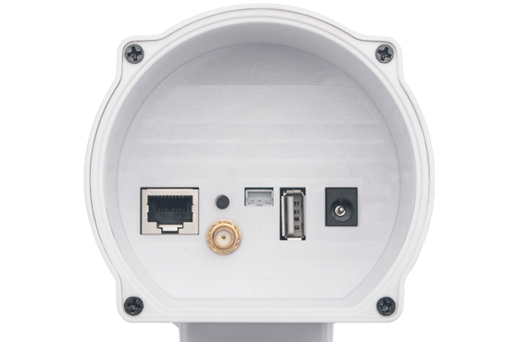
- Open the DLOS8N enclosure by removing the screws.
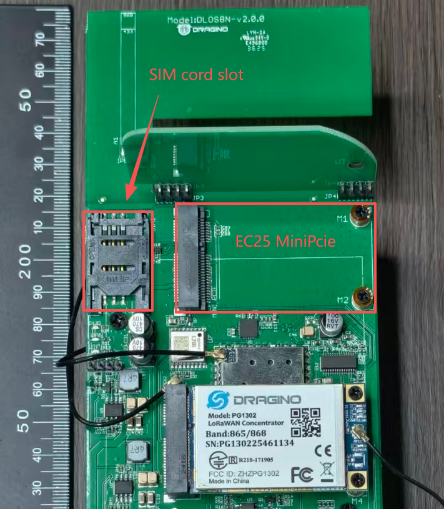
- Insert the EC25 module and Sim card into the corresponding Mini-PCIe socket on the gateway main board
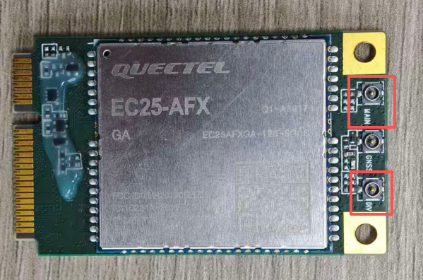
- Connect the 4G antennas to the EC25 module:
Connect one 4G patch antenna to the MAIN port.
Connect the other 4G patch antenna to the DIV port.
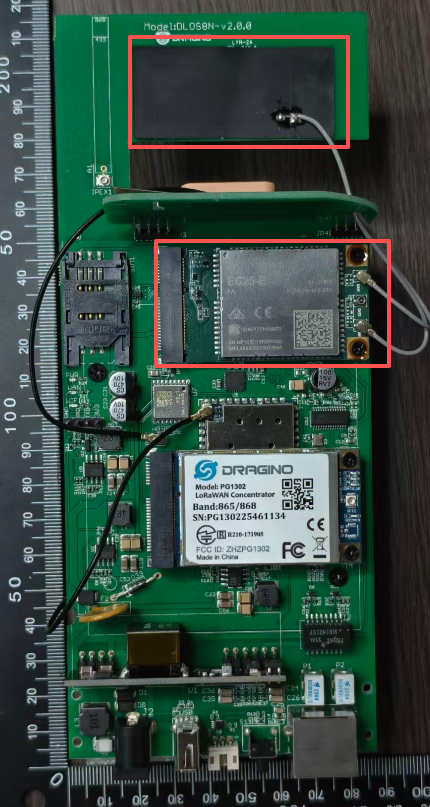
As shown in the picture, attach the 4G antenna patch to this bracket on the motherboard.
-
Close the enclosure and tighten the screws properly.
-
Power on the gateway.
-
Connect to the gateway Wi-Fi and log in to the gateway Web UI.
-
Go to System → Cellular and configure the gateway to use the 4G cellular connection.
Reference manual:
DLOS8N User Manual – Section 3.4 “Access the Internet via Cellular"
If the Cellular page shows that the module is not detected, please power off the gateway and check whether the EC25 module is fully inserted and whether the antenna cables are connected correctly.
3. LPS8N/LPS8V2
Follow the steps below to install the EC25 4G module into the LPS8N/LPS8V2 gateway.
Before installation:
Ensure the power supply is disconnected before opening the gateway enclosure.
Installation steps:
-
Open the LPS8N/LPS8V2 enclosure by removing the screws.
-
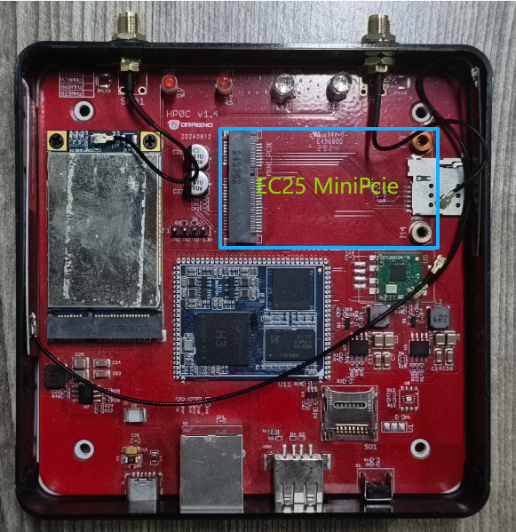
Insert the EC25 module and Sim card into the corresponding Mini-PCIe socket on the gateway main board
- Connect the 4G antennas to the EC25 module:
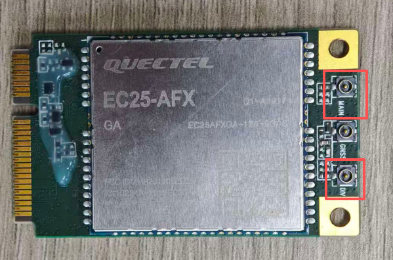
Connect one 4G patch antenna to the MAIN port.
Connect the External 4G patch antenna to the DIV port.
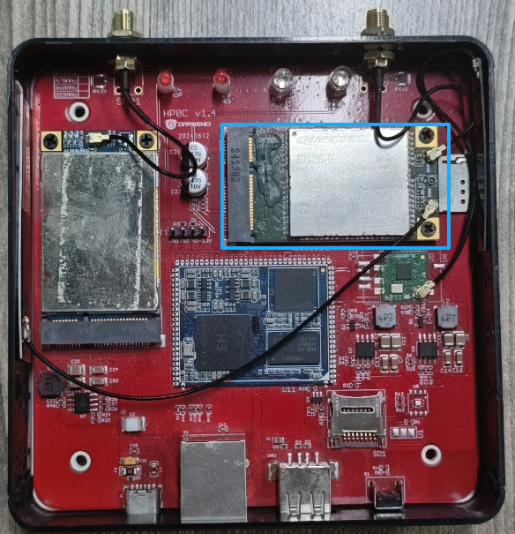
As shown in the picture, attach the 4G antenna patch to this bracket on the motherboard.
-
Close the enclosure and tighten the screws properly.
-
Power on the gateway.
-
Connect to the gateway Wi-Fi and log in to the gateway Web UI.
-
Go to System → Cellular and configure the gateway to use the 4G cellular connection.
Reference manuals:
LPS8N User Manual – Section 3.4 "Use built-in 4G modem for internet access"
LPS8v2 User Manual – Section 4.1.4 "Use built-in 4G modem for internet access"
If the Cellular page shows that the module is not detected, please power off the gateway and check whether the EC25 module is fully inserted and whether the antenna cables are connected correctly.