Compile and Upload Code to ASR6601 Platform
1. Instruction for Windows OS Platform
Step 1:Install MSYS2
Download MSYS2 and Install

Step 2:Open MSYS2

Install related software: pacman -S git vim make unzip python python-pip
Use pip to install pyserial:pip install pyserial configparser


Step 3:Get LA66 SDK.
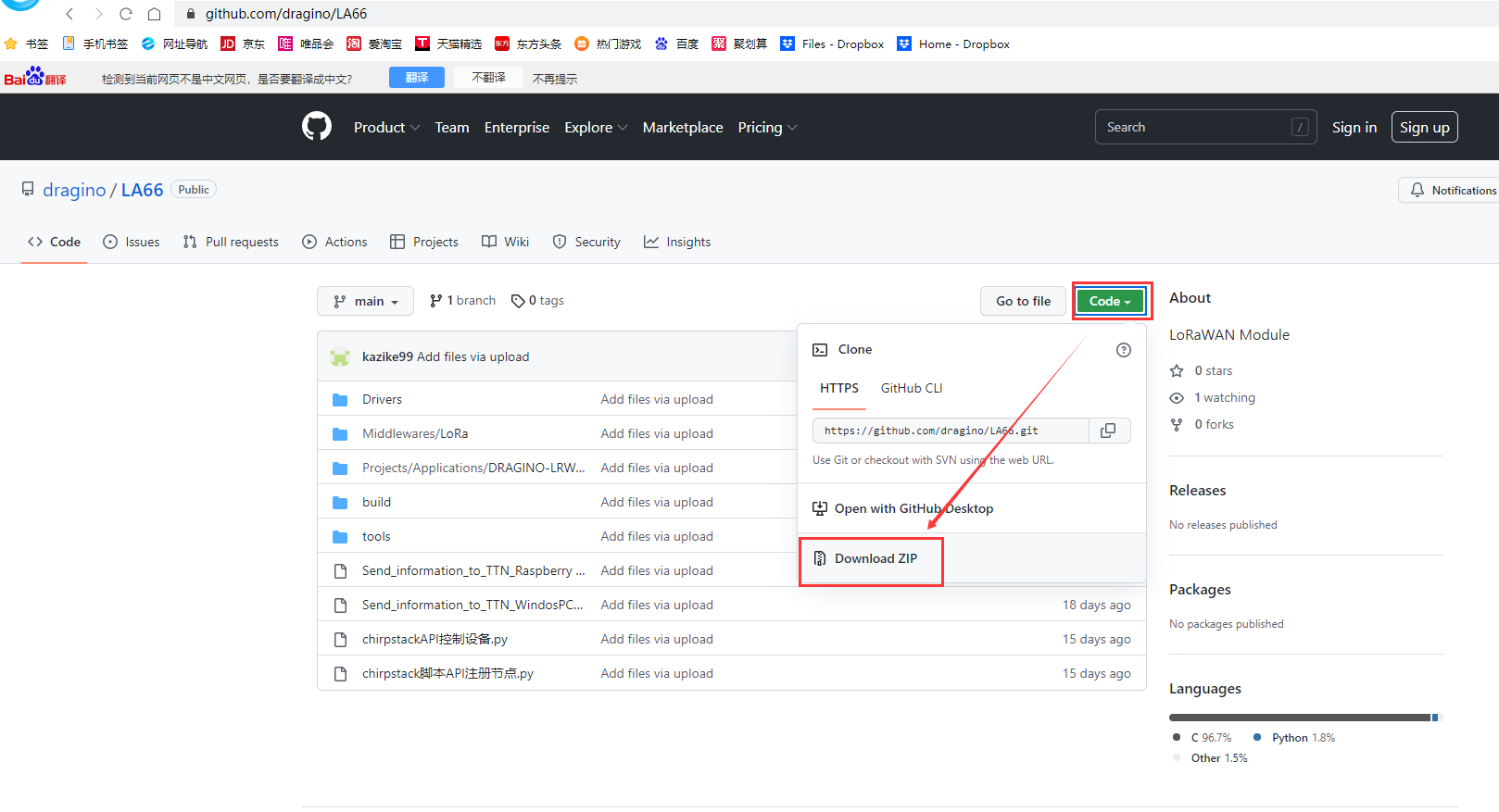
Step 1: Download LA66 code. There are two alternatives, you can use one of them.
-
ASR Official SDK. Include ping pong example
-
GitHub - dragino/LA66: LoRaWAN Module (Dragino SDK for LA66, LoRaWAN version).
Step 2: Downloads | GNU Arm Embedded Toolchain Downloads – Arm Developer
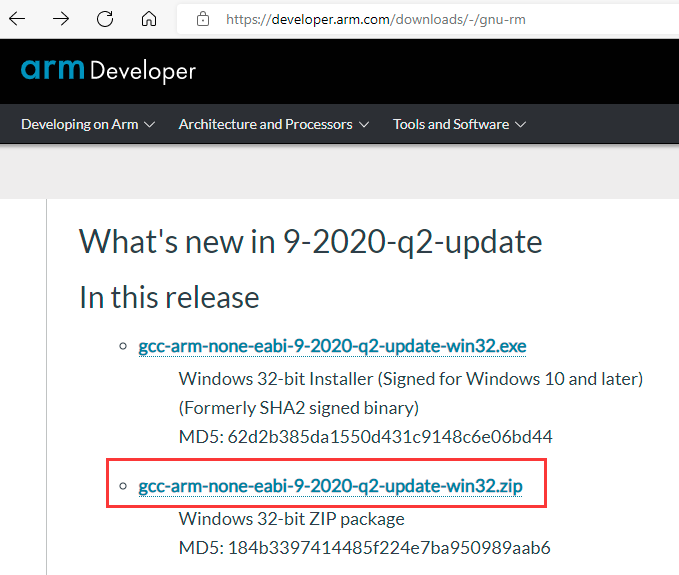
Step 3: Copy the file downloaded in step 2 to the folder directory of .../LA66/tools/toolchain in step 1.

Step 4:Connect your LA66 to PC via USB TTL.
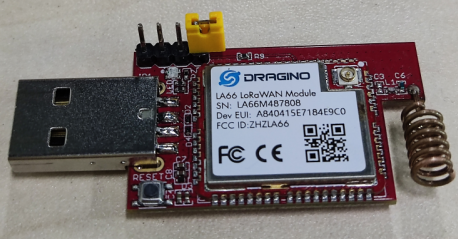
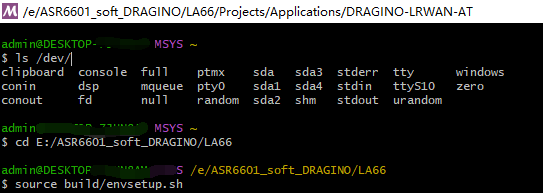
Step 5:Check USB Port
ls /dev/

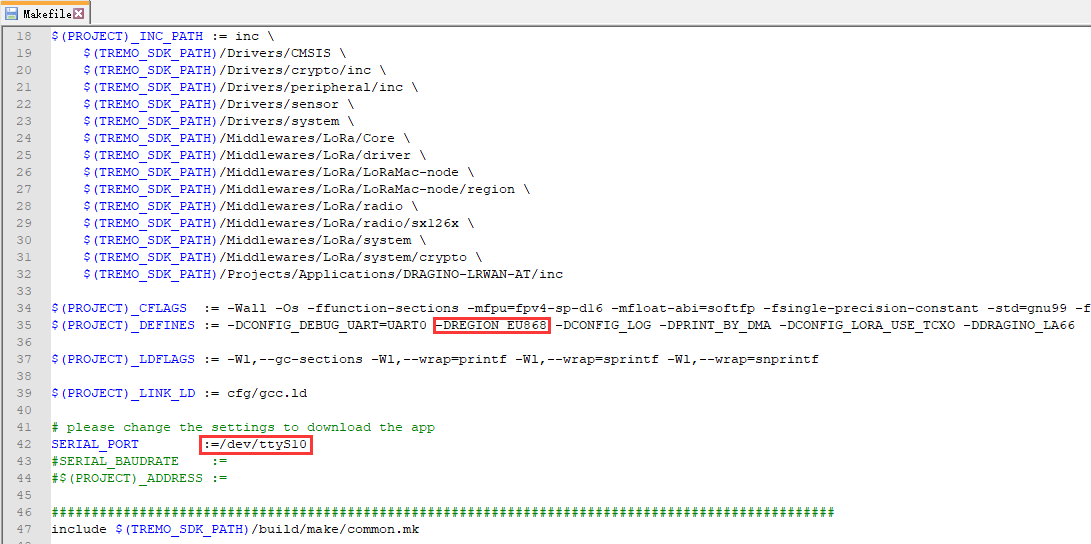
Step 6:Open Makefile File, Modify Region and USB Port

Step 7:Use Make to compile
Open Directory cd E: /ASR6601_soft_DRAGINO/LA66
source build/envsetup.sh
cd Projects/Applications/DRAGINO-LRWAN-AT
make
make flash


Step 8:Uplink Image to LA66
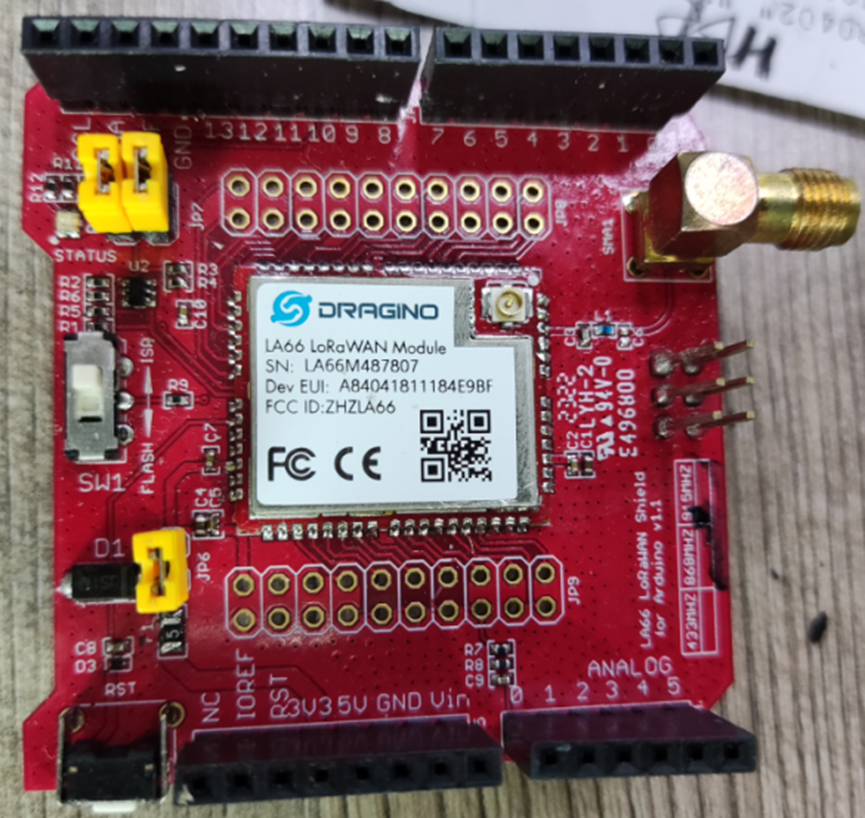
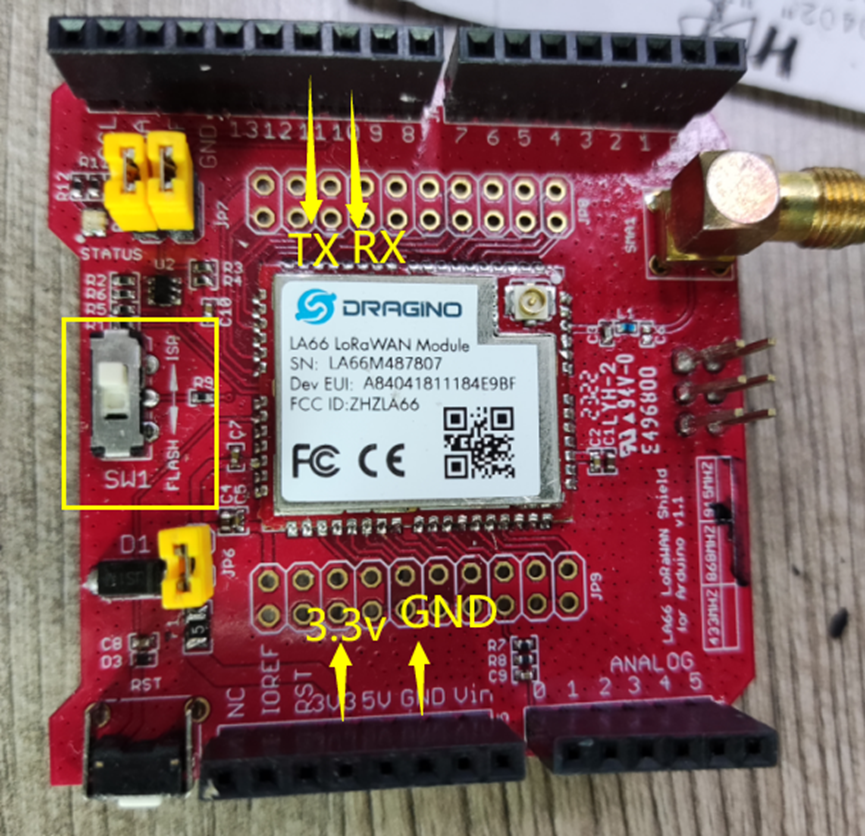
LA66 LoRaWAN shield:
Connection:
Connect the Jump cap
10  <->  USB TTL RX
11  <->  USB TTL TX
GND <->  USB TTL GND
3V3 <->  USB TTL 3.3v
Switch SW1 to ISP
Press the RST key
Put USB LoRaWAN Adapter into Program Mode, and press reset
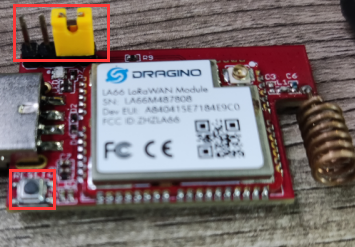
Run make flash


Wait for update finish, remove program jumper and press reset
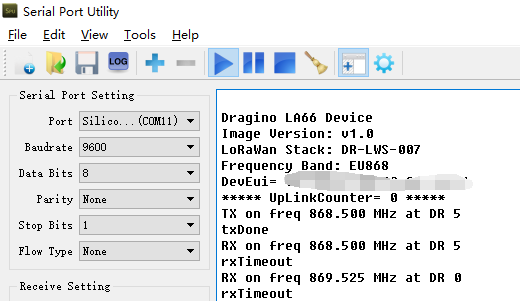
Below is the serial output after update success.
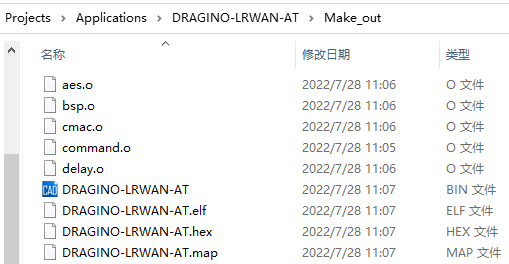
Example for output files of Make
2. Instruction for Keil
Step 1:Install and buy Keil MDK
Download Keil and Install
Step 2:Get LA66 SDK
Step 1: Download LA66 code. There are two alternatives, you can use one of them.
-
ASR Official SDK. Include ping pong example
-
GitHub - dragino/LA66: LoRaWAN Module (Dragino SDK for LA66, LoRaWAN version).
Step 2: Downloads | GNU Arm Embedded Toolchain Downloads – Arm Developer
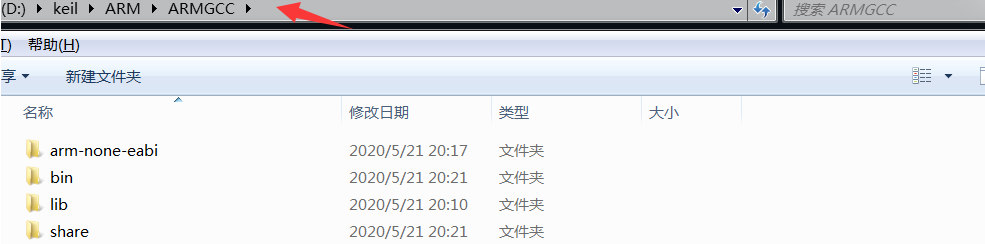
Step 3: Unzip the file downloaded in step 2 to the root directory of keil. As shown below:
Step 3:Add firmware library to keil
Step 1: Open the keil project.
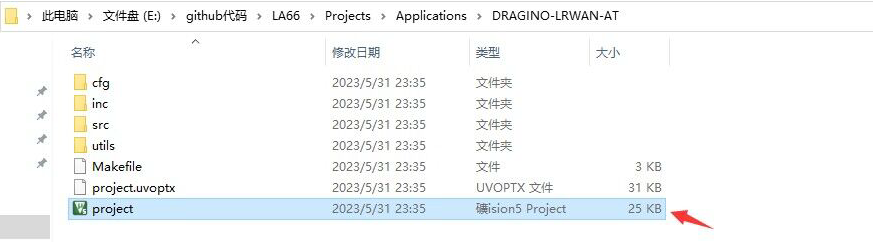
Step 2: Add firmware library.
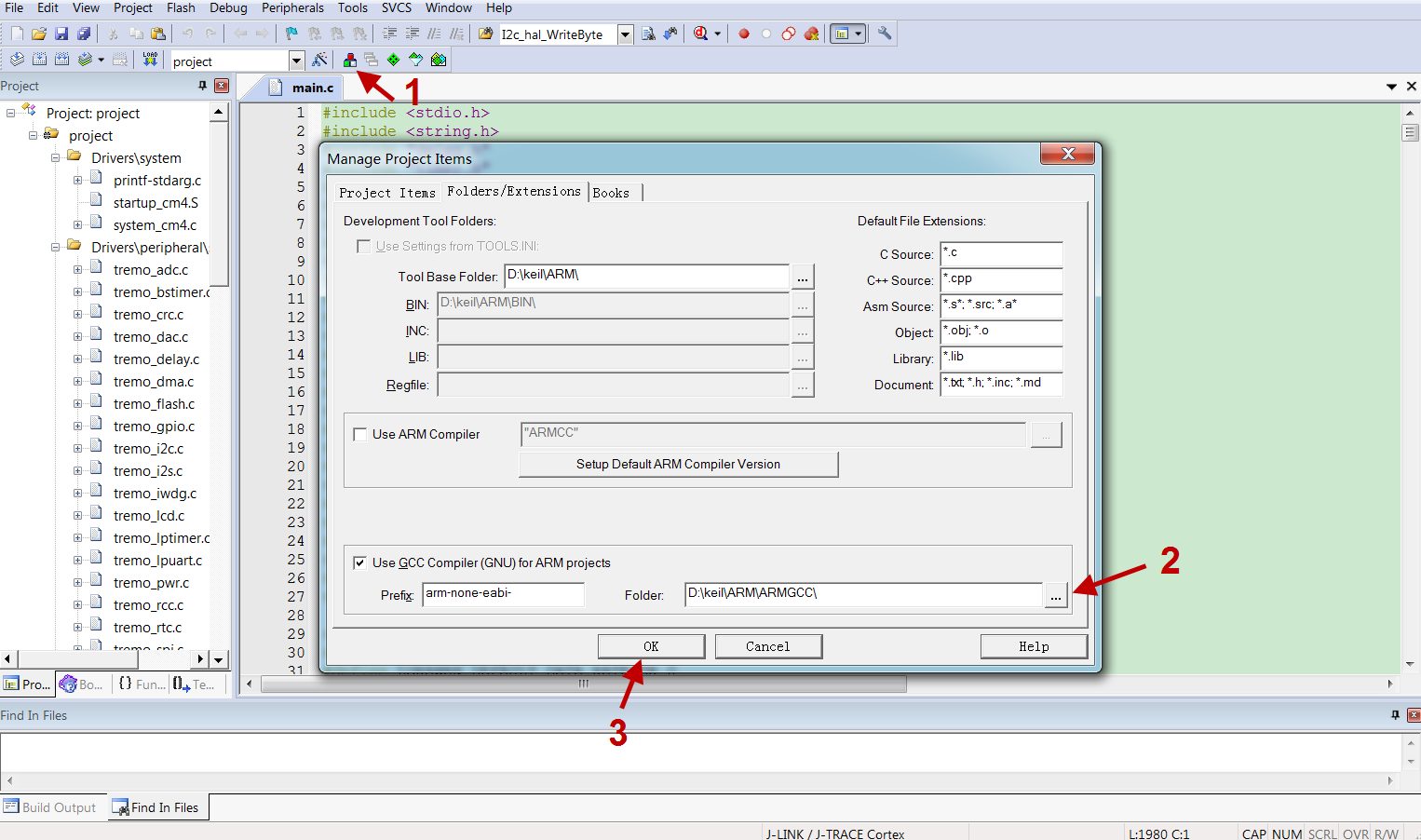
Step 3: Compile successfully.
