BC660-GL Module FOTA Upgrade Firmware
1. Overview
The current firmware for all BC660-GL modules is: BC660KGLAAR01A05 01.002.01.002
The latest firmware upgrade is: BC660KGLAAR01A05_01.203.01.203
You can use the AT+QGMR command to query the firmware version.
2. Upgrade by connecting to the BC660K debug serial port:
Step 1: First, switch the toggle switch to the left ISP position, remove the yellow jumper cap, and then press the ACT button to completely disconnect the device power. Finally, replace the yellow jumper cap.
Step 2: The NB module needs to insert a SIM card and ensure network connectivity.
Step 3: Use TTL-USB serial port tool to connect TX and RX, GND of NBST,
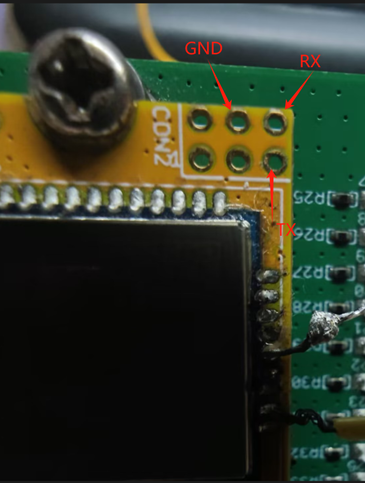
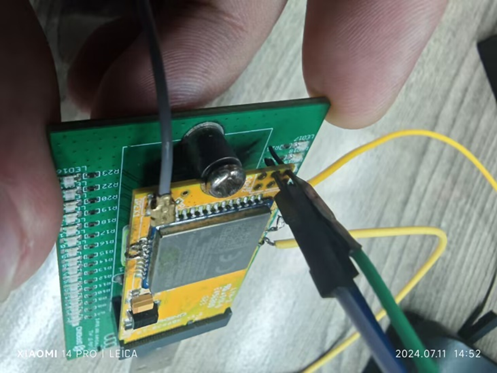
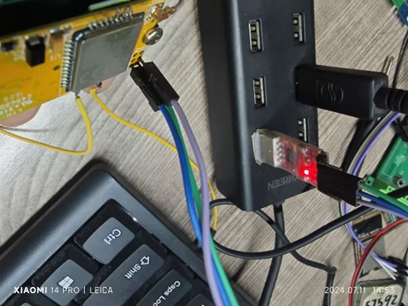
No welding is required, just touch it with DuPont wire.
Step 4: The device needs to be powered on, open the serial port debugging tool, connect the COM of the USB serial port with a baud rate of 115200, and then perform FOTA firmware upgrade.
Step 5: After opening the serial port, send the AT+QIDNSCFG=0, "223.5.5.5", "8.8.8.8" commands, return OK.
Send AT+QFOTADL=http://repo.dragino.com/release/NB/Update_BC660KGLAAR01A05_01.002.01.002-R01A05_01.203.01.203.zip command.
Note: The AT+QFOTADL command, where BC660KGLAAR01A05_01.002.01.002 is the current version number, detected by AT+QGMR. This command is required for differential upgrades.
The device is starting to upgrade firmware, as shown in the following figure:
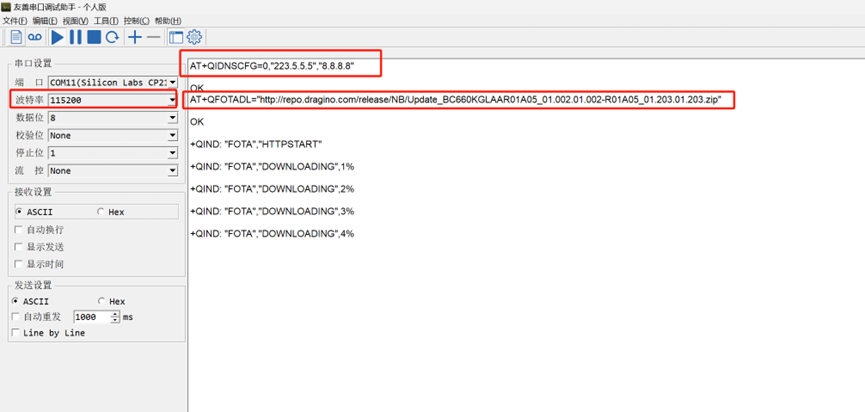
Successfully upgrading firmware will prompt the following message:
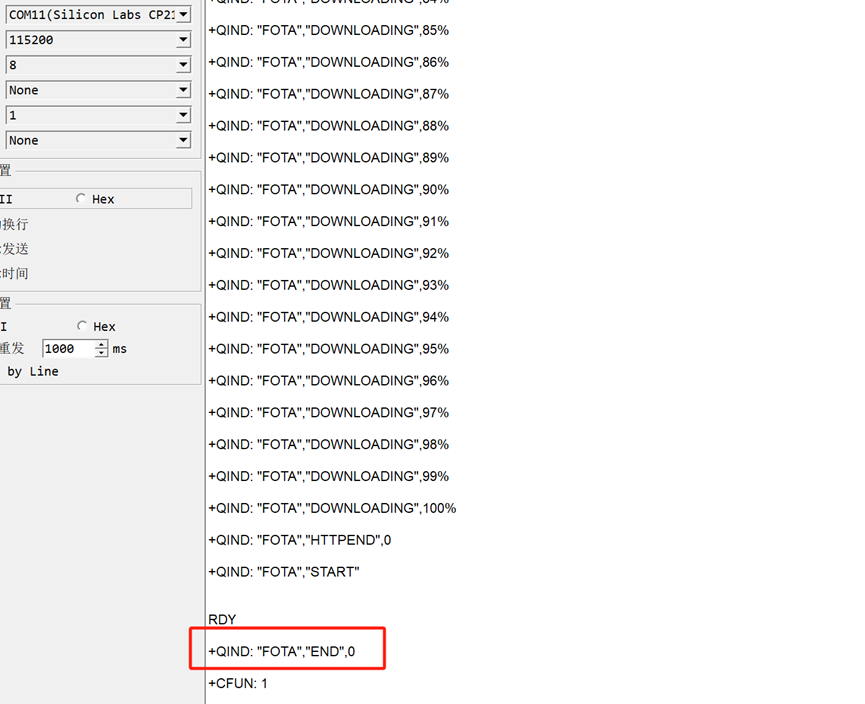
The firmware upgrade was successful.
You can use AT+QGMR to check the firmware version.

After the upgrade is complete, switch the switch to the right FLASH position and then press the RESET button to start the program.